
Data management
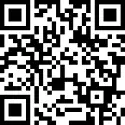
Scan to download Adobe Scan App
Revised version
HOW TO MANAGE YOUR FIELD DATA
Tracy Aviary and our volunteers invest a great deal of time and energy recording Breeding Bird Survey data at sites across the Salt Lake region. Every year, data sheets are lost to car trunks, misplaced folders, and gusts of wind. This page covers best practices to keep your data safe.
The short version: Proof and scan your data sheets inside your vehicle as soon as you finish your survey. Aviary staff will handle database entry.
Proofing
Review each data sheet for the following:
Is all metadata recorded for each point (point number, date, start time, etc.)?
Are detections recorded across all 6 minutes of each point count?
Are species codes clear and accurate?
Is detection type, direction, and distance recorded for each line?
Are any birds coded as 88 that were already recorded at another point? If so, cross them out. [confirm this matches your protocol's meaning]
Is everything legible?
Proofing works best when the observer and recorder review the sheets together. It's quality control for your quality control!
Scanning
The safest option is to scan your sheets with the Adobe Scan app and email them to conservation@tracyaviary.org. Scanning in your vehicle right after your survey captures the data before the sheets can be lost. Use the QR code above to download the app and create an account, and watch the video above for step-by-step instructions. Scan inside your vehicle to keep sheets from blowing away.
Other options
If you can't use the app, you can give your data sheets directly to a conservation staff member or scan them on a regular scanner. We prefer app scans because they minimize the chance of loss.